What Is UX and UI Design?
In today’s digital-first world, almost everything we do involves an app, a website, or a digital platform. From ordering food and booking flights to managing finances and streaming movies, digital products play a huge role in our daily lives. Behind every smooth, enjoyable digital experience are two essential disciplines: UX design and UI design.
Although these terms are often used together, UX and UI design are not the same. Understanding the difference can help businesses build better products and help individuals explore careers in tech and design.
Understanding the Basics of UX and UI Design
What Does UX Stand For?
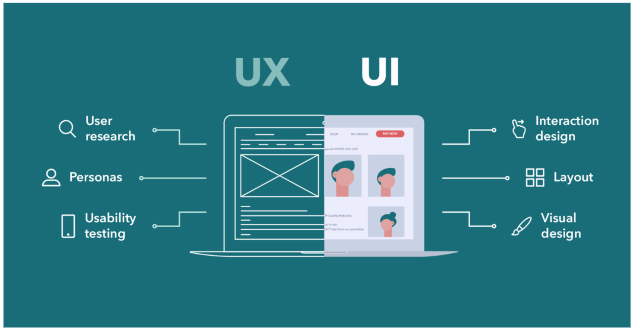
The UX is an abbreviation of User Experience. The UX design is concerned with the emotions of a user when he or she engages with a product, service or system. The aim is to ensure that the experience is valuable, instinctive, effective, and pleasurable.
UX design does not only relate to online products. It can be used on anything, a mobile application, or a self-checkout kiosk at a grocery store.
What Does UI Stand For?
UI stands for User Interface. UI design concentrates on the appearance of a product and how people respond to the visual aspects of the product. These are buttons, icons, colors, typography, spacing and layouts.
Where UX concerns itself with the journey, UI is concerned with the touchpoints on the way.
What Is UX Design?
Definition of UX Design
UX design refers to the act of creating products that have a meaningful and relevant experience to the users. It entails the knowledge of user requirements, preferences, aches, and inspirations.
UX designers aim to answer questions like:
- Is this product easy to use?
- Is it resolving the problem of the user?
- Does it have a seamless process throughout?
Key Elements of UX Design
User Research
The UX design begins with research. Designers researched users by survey, interview, and usability testing, and analytics. This will make them know what users desire and require.
Information Architecture
This is by structuring the information in a sensible manner that will help the users locate what they desire easily. As an example, the way menus are organized on a site.
Wireframing and Prototyping
Wireframes are plain layouts that indicate how a product would be operating. Prototypes are a model of the ideas that are tested before they are finalized.
Usability Testing
Before launch, UX designers use real users to test their products and isolate problems and refine the experience.
What Is UI Design?
Definition of UI Design
UI design is concerned with the visual and interactive part of the product. It makes the interface appealing, uniform and usable.
UI design is where creativity meets functionality.
Key Elements of UI Design
Visual Design
This will consist of colors, fonts, images and general style. An effective visual design will act as the brand and will be appealing to the target audience.
Interactive Elements
UI design includes buttons, sliders and dropdowns, as well as animations. These aspects direct the users and give feedback.
Consistency
UI designers develop design systems and style guides that make sure that there is uniformity across screens and platforms.
Accessibility
Proper design of the UI makes sure that products can be used by individuals with all abilities such as those with visual, auditory or motor impairment.
The Difference Between UX and UI Design
Although UX and UI work closely together, they serve different purposes.
| UX Design | UI Design |
| Focuses on user experience | Focuses on visual interface |
| Research-driven | Design-driven |
| Concerned with usability and flow | Concerned with look and feel |
| Defines how things work | Defines how things look |
A simple way to think about it:
- UX is the blueprint
- UI is the interior design
- Both are required to make a successful product.
Why UX and UI Design Are Important
Better User Satisfaction
Products that are user-friendly and fun to use are designed well in UX and UI. Users will be more likely to remain loyal when they can complete tasks without being frustrated.
Higher Conversion Rates
In the case of companies, particularly eCommerce and SaaS, good design has a direct influence on sales. Effective navigation, good calls-to-action, and easy designs are used to convert visitors into customers.
Reduced Development Costs
Early detection of issues through UX research and testing is more economical in terms of time and money than correcting issues after launch.
Competitive Advantage
User experience in the market can make or break in competitive markets. Customers tend to select the products that are easier and more comfortable to operate.
UX and UI Design in Real-Life Examples
Mobile Apps
Media applications such as banking applications, taxi apps, and fitness bracelets are based on the UX and UI design that ensures the users are hooked and assured.
Websites
With the news websites to online stores, UX makes sure that the user can get the information within a short time whereas UI makes the site appealing and trusted by the user.
Enterprise Software
Most companies employ complicated internal tools. The UX/UI design is good and enhances productivity and saves on employee training.
UX and UI Design Careers
UX Designer Role
UX designers are research oriented, testing and strategy oriented. They collaborate with product managers, developers and stakeholders.
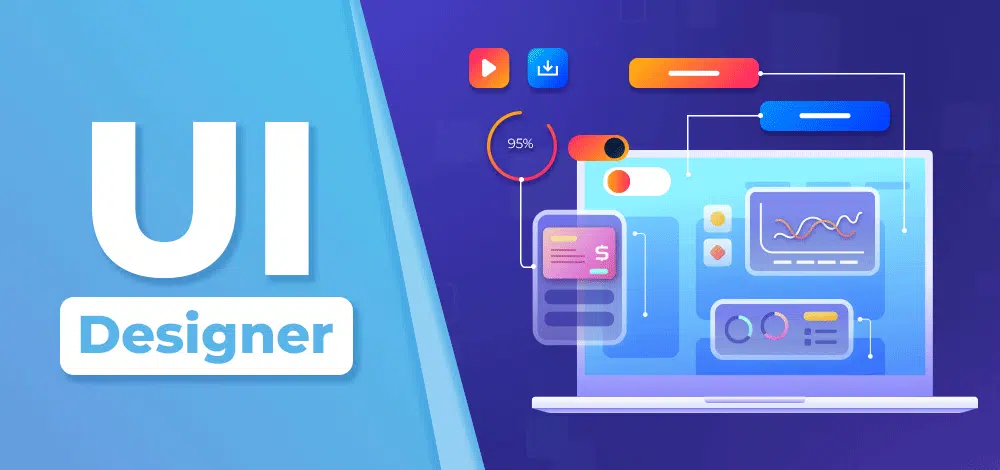
UI Designer Role
UI designers are concerned with visual design and interaction. They tend to work with UX designers to make ideas come true.
Skills Needed
- Problem-solving
- Empathy for users
- Design software such as Figma or Adobe XD
- Knowledge of accessibility standards
- Teamwork/interpersonal skills.
UX and UI design are some of the most sought-after careers in the United States, including work in technology, startups, agencies, and remote work.
UX and UI Design Best Practices
Keep Users at the Center
Always user-friendly, not only business objectives.
Prioritize Simplicity
Products are made easy to use by clean layouts and easy navigation.
Design for Accessibility
Consider accessibility considerations so that all people can use your product.
Test and Iterate
Design is an ongoing process. Continuous improvement results because of regular testing.
 Bill Yeager, Co-Owner of High Point SEO & Marketing in CT


